
Entry, on the record
Know exactly who's on site. And prove it.
iENTR turns an iPad into a touchless entry point. Faces are matched on the iPad in under a second and the template is shared only with your own sites' terminals. Live in under thirty minutes, from NZD $49 a month.
Seven days free. One site or a hundred. No installer, no cabling, no quote.
Access granted
T. Rewiti · Gate 1 · 06:47:12
iENTR is new. So instead of a logo wall, here is the product, the price and seven days to judge it yourself. Read the founder's note →
Four reasons the gate is different now
Private by architecture, not by promise
Faces are matched on the iPad itself. iENTR performs one-to-one verification only: it confirms a person is who they claim to be. It never runs one-to-many identification and it infers nothing about emotion, mood, health, age, gender or ethnicity.
Read the architecture →Live in under thirty minutes
No electrician, no cabling, no site visit, no proprietary reader. Download the app, mount an iPad, enrol your first person. Most sites are running their first door before the kettle has boiled twice.
See how it works →A record that holds up
Every entry and exit, timestamped and exportable. Live occupancy for an evacuation. A roll call in seconds instead of a clipboard. Retention you set and purges that actually run.
Why it matters →Published pricing. Month to month.
From NZD $49 a month plus one cent a scan. No quote, no five-year term, no per-seat licence. Sixteen of the vendors iENTR competes with will not tell you what they cost until you talk to somebody.
See pricing →Three steps. One kettle.
01
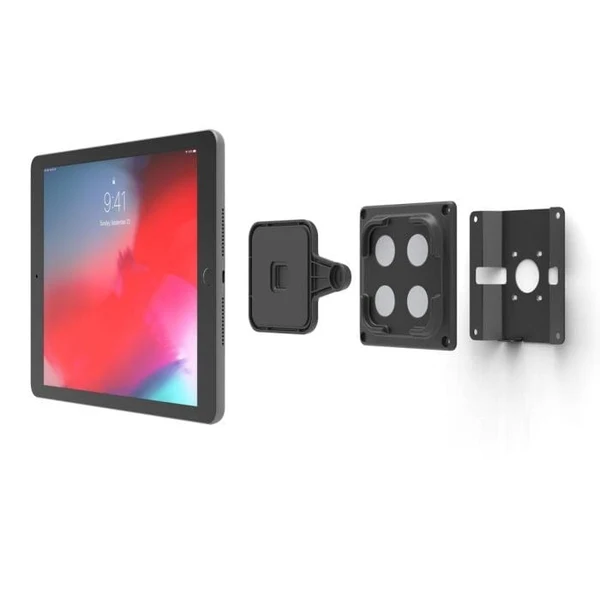
Mount an iPad
Any recent iPad, in any enclosure, at any entrance. The app turns it into a scanner. Nothing to pair, nothing to wire, nothing to wait for.
02
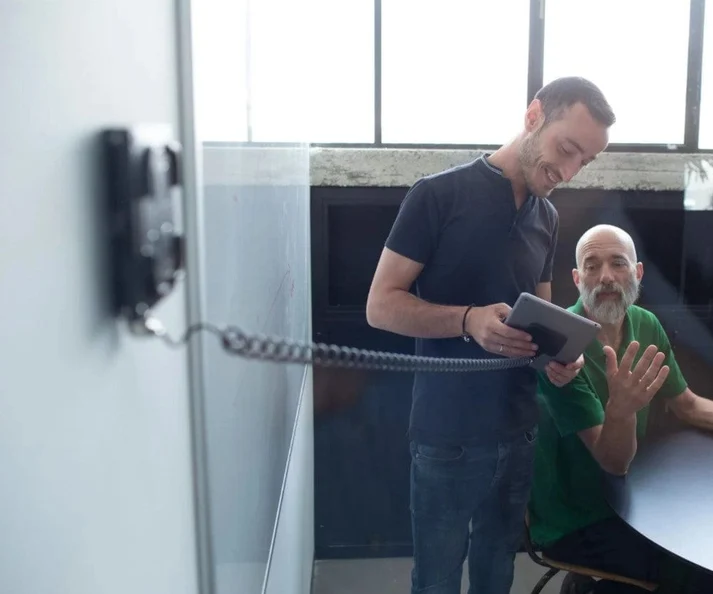
Enrol your people
Five angles, thirty seconds each, with the consent screen built into the flow. Bulk-import a team by CSV. Enrolments sync across every site instantly.
03
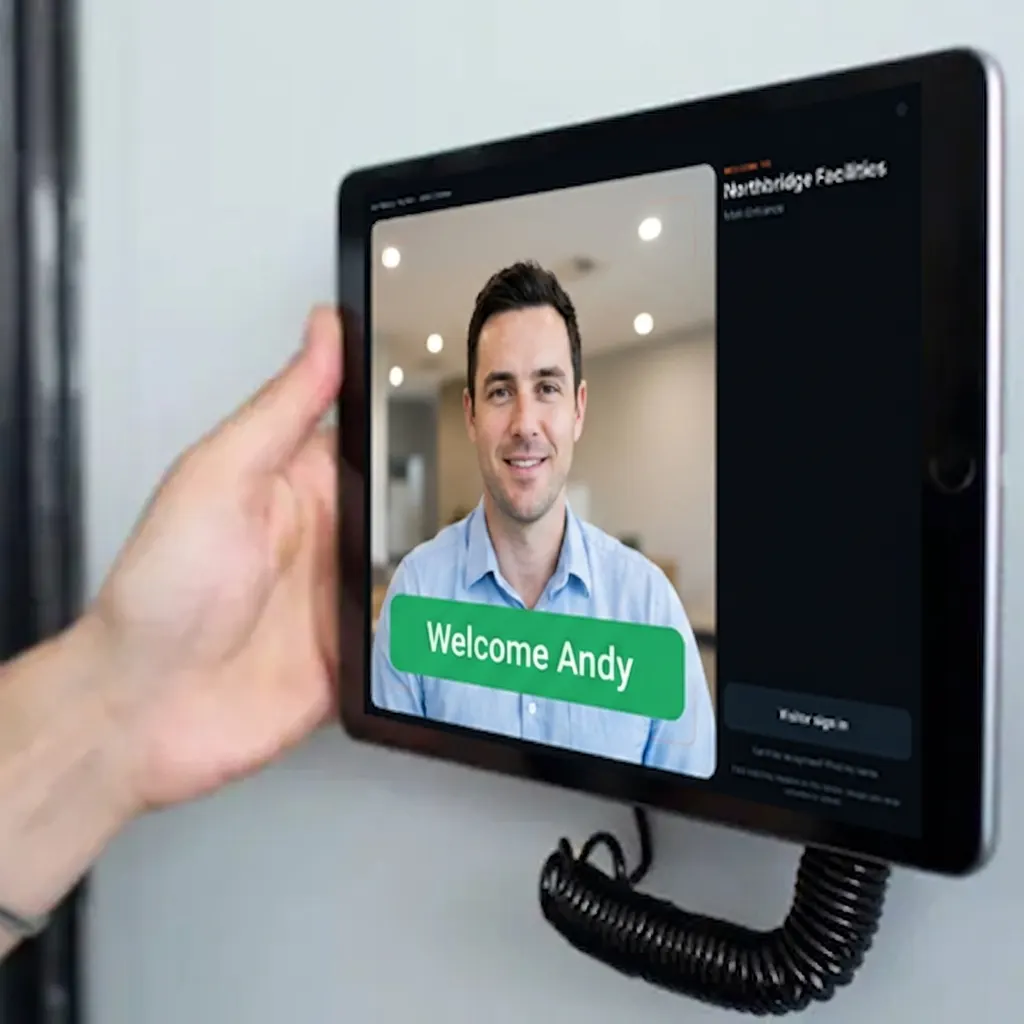
Walk in
A glance opens the door and writes the record. Under a second. If the network drops, the door keeps working and the log catches up when it returns.
Four doors. One record.
A site gate, a preschool entrance, a gym at five in the morning and a reception desk look like four different problems. They are one problem: knowing who came in and being able to prove it afterwards.
SITE GATE, 6:45AM
Construction
Control site access, evidence your inductions and get an accurate head count when the alarm goes.
Construction →CENTRE DOOR, 8:30AM
Early childhood and schools
Verify the adult at the door and keep an attendance record that survives an audit. Children are never enrolled.
Education →GYM ENTRY, 5:15AM
Gyms and fitness
Stop pass-sharing and tailgating and know who is inside during unstaffed hours.
Gyms →RECEPTION, 9:15AM
Workplaces
Replace the visitor book with a record your evacuation report can actually rely on.
Workplaces →Not sure which one you are? Most sites are more than one. iENTR is priced the same either way. Talk to us →
What you are actually comparing
Access control is rarely expensive because of the reader. It is expensive because of everything around the reader.
| iENTR | Traditional access control | |
|---|---|---|
| Hardware at the door | An iPad you may already own, in a mount | A proprietary reader plus a controller |
| Installation | None. You mount it yourself. | Commonly $1,500 to $2,000 per door and vendors themselves publish $1,200 to $2,500 |
| Time to first door | Under 30 minutes, self-service | Weeks to months, scheduled around an installer |
| iPad-based visitor licences | Included | Verkada Workplace: USD $3,600 per iPad per year |
| Contract term | Month to month | Commonly annual. Alcatraz AI requires a five-year non-cancellable minimum |
| When the network drops | The door keeps working. The log catches up. | Most systems stop |
| Biometric alternative | Card, PIN or QR on any site, same features | Usually a separate product |
| Getting a price | On this website | 16 of the vendors iENTR competes with will not publish one |
Every figure in the right-hand column is published by the vendor concerned. iENTR has not estimated any of them.
Where the face actually goes
The template is generated on the iPad and matched on the iPad. It syncs, encrypted, only to the terminals you have paired at your own sites, so every door recognises the same people and nowhere beyond them. What leaves for your dashboard is the entry record: a name, a time, a door. That is the part your auditor wants and it is the only part iENTR needs.
On the iPad
Templates sync encrypted only between the terminals you have paired at your own sites, so every door recognises the same people.
One to one, never one to many.
iENTR confirms a person is who they claim to be. It never scans strangers or crowds against any list. An administrator can restrict an enrolled person's access, blocking or flagging them, which is an access decision about someone you know, not surveillance of people you do not.
No inference, ever.
No emotion, mood, health, age, gender or ethnicity. Not offered, not built, not on the roadmap.
Biometrics are optional, never required.
Every site can run card, PIN or QR with identical features. Nobody has to enrol a face to get through your door, or to get paid.
You set retention. iENTR runs the purge.
Per-site schedules, automatic visitor expiry and deletion on request.
Frequently asked questions
How does iENTR ensure data privacy?
Face matching runs entirely on the iPad or iPhone at the door. Only a numeric template (not a photo) is stored and only on devices assigned to the sites a person can access. Templates are removed from a device as soon as a person is unassigned or disabled.
Is biometric data stored in the cloud?
Enrolment templates are held in our Australian-region database so they can be synced to the terminals at your sites, encrypted at rest and in transit. Images are never uploaded or stored. Recognition happens on-device.
How do you handle consent for facial recognition?
Every enrolment starts with a consent screen the person must accept before the camera opens. The consent version and timestamp are recorded against their profile and administrators can export or revoke it at any time.
Can users request deletion of their data?
Yes. Anyone can request deletion from the app or dashboard; administrators can also remove a person, which deletes their templates from every device on the next sync. Visitor records auto-purge on the retention schedule each site sets.
Is facial recognition legal in New Zealand?
Yes and since 3 November 2025 it is specifically regulated. The Privacy Commissioner's Biometric Processing Privacy Code 2025 applies to any organisation processing biometric information through a technological system. Organisations already using biometrics before the Code had until 3 August 2026 to comply and that transition period has now ended. The Code requires a documented proportionality assessment and detailed notification, including whether non-biometric alternatives are available. iENTR is built to support that: on-device matching, configurable retention and a genuine non-biometric alternative on every site. Compliance rests with your organisation and iENTR ships the assessment and notification templates to help you evidence it.
Do I need consent to use facial recognition on staff?
In practice, yes and it has to be real consent. In February 2024 the UK Information Commissioner ordered Serco Leisure to stop using facial recognition for staff attendance across 38 sites, partly because enrolment was presented as a requirement in order to get paid, so employees had no genuine choice. iENTR is designed the other way round. Every site can run card, PIN or QR entry with identical functionality, so an employee who declines to enrol a face is never disadvantaged.
What happens if someone refuses to enrol their face?
They use a card, a PIN or a QR code and everything else works exactly the same. This is deliberate. A biometric system with no real alternative is a system a regulator can order you to switch off.
What is the Biometric Processing Privacy Code?
A code of practice issued by New Zealand's Privacy Commissioner on 6 August 2025, in force from 3 November 2025, which replaces the ordinary information privacy principles for biometric processing. Its central requirement is a proportionality assessment: a documented case that the benefit of using biometrics clearly outweighs the privacy risk, supported by objective evidence, with express consideration of cultural impacts and effects on Māori. It also restricts using biometrics to infer health, emotion or protected characteristics. iENTR does none of those things by design.
What hardware do I need?
Any iPad or iPhone that runs a current iOS. Mount it at the entrance, optionally connect a door relay for unlocking and you are done. For doorways where a tablet cannot be mounted, a terminal can use an external network camera instead.
How long does deployment take?
Most sites are live in under 30 minutes: create the site, pair the terminal with a one-time code, invite your team and enrol. No installers, no cabling.
Does iENTR work offline?
Yes. Each terminal holds its site roster and templates locally, so recognition and sign-in continue without a network. Events queue on the device and sync automatically when connectivity returns.
Can I mount the iPad at any entrance?
Yes. Each terminal is configured independently as entry only, exit only or both, with its own sign-in mode, visitor module, relay and questionnaire settings.
How accurate is the facial recognition?
Enrolment captures multiple angles in a guided ring capture and matching uses a strict acceptance threshold with a second-best margin, so look-alikes are rejected rather than guessed. Anyone not recognised can always fall back to name lookup, so recognition is never a dead end.
Can visitors use iENTR?
Yes. Visitors sign in at the terminal with their details and consent. Depending on the terminal setting, they are approved automatically or the host is notified and the kiosk waits for approval. Visitor records purge on your retention schedule.
Can I restrict someone's access?
Yes, for people already enrolled at your site, through Restricted access. An administrator can mark an enrolled person as Blocked, so they are refused at the terminal and an incident is raised, or as Flagged, so they are admitted but staff are alerted immediately. This is an access decision about a known, enrolled person, like cancelling a keycard. iENTR never scans strangers or passers-by against any list.
Can I track who is currently on site?
Yes. The Who Is Here view shows everyone currently signed in, with their company, phone, the terminal they used and how long they have been on site. It is filterable and sortable and essential for emergency roll-calls.
Does iENTR generate timesheets?
Yes. Entries and exits become daily timesheets per person and per company, with date presets (today, this week, last week) or custom ranges plus reports for average entry/exit times and peak hours.
What's the trial like?
Seven days of the full product with your own data. Choose a plan and add a card to activate it. You won't be charged until the 8th day and you can cancel at any time during the trial without being charged.
How does usage-based pricing work?
A monthly subscription covers your first terminal; additional terminals are a flat monthly fee each and scans are charged per recorded entry or exit. You only pay for the traffic you actually have.
Can I change plans at any time?
Yes. Add or remove terminals and sites whenever you like; billing adjusts on the next cycle.
What if I have more than 20 sites?
iENTR is multi-site by design: one dashboard, per-site managers and realtime sync across every entrance. Contact us for volume pricing and a dedicated onboarding plan.
Do you offer SSO and directory sync?
Role-based access (business admin, site manager, standard, visitor registry) and two-factor authentication are included today. SSO and directory sync are available on enterprise plans. Talk to us.
Is there an API for integration?
Yes. Events, people, sites and visitors are all available through our API and door relays integrate over a simple authenticated HTTP pulse. Ask us for the integration guide.
Try it on one door.
Seven days free, cancel any time. Mount the iPad, pair it with one code and you are running inside half an hour.