
Billing, support & your account
Billing
The Billing page shows your plan, the running monthly estimate including scan charges, every invoice with a viewable copy and the card on file, which changes through a secure Stripe page that iENTR never sees.
4 min read · 3 steps
- 1
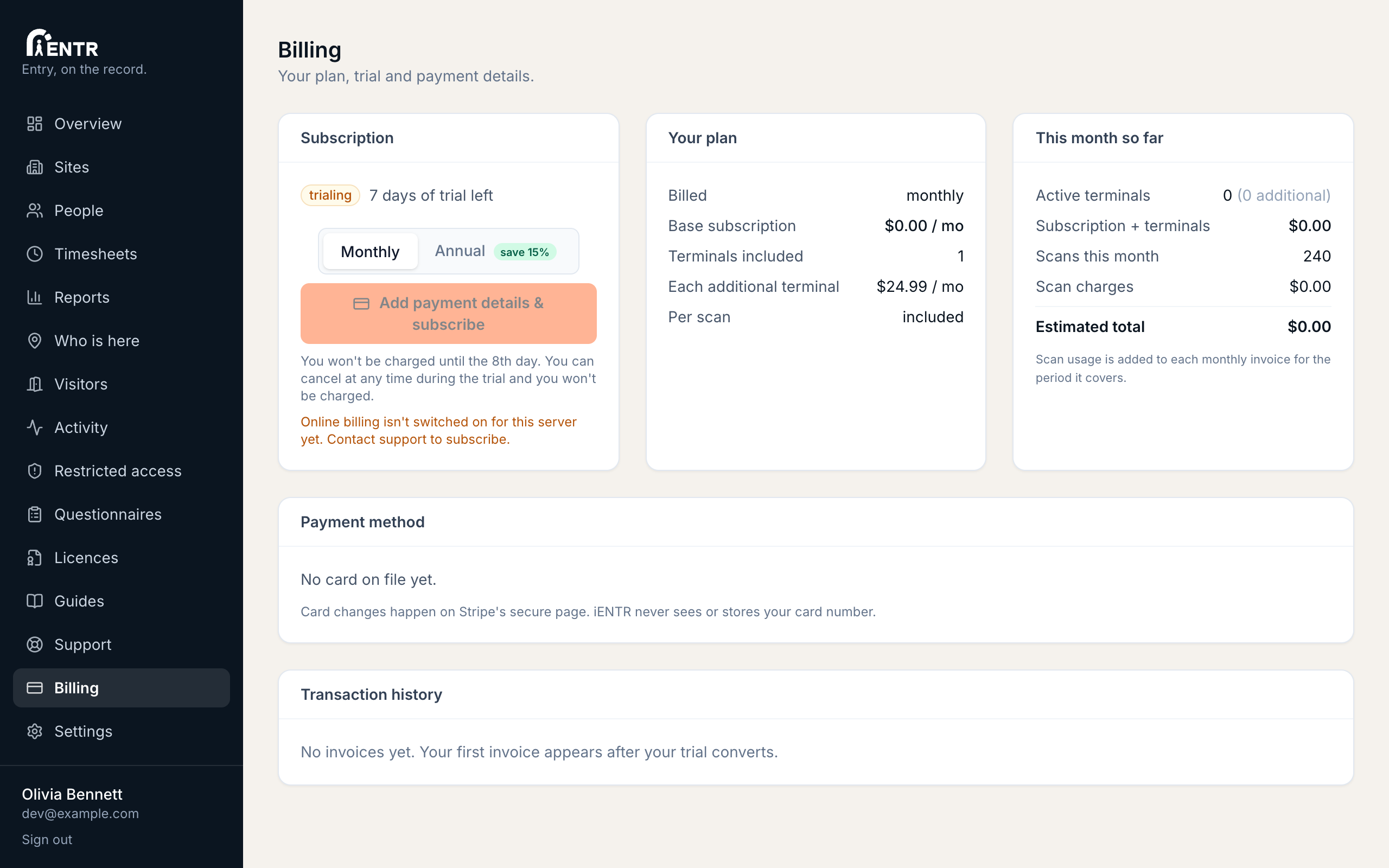
Your plan at a glance
Billing shows your subscription, terminals included, the running estimate for this month including scan charges. New accounts start on a free trial; add payment details any time before it ends.
- 2
Payment method
The Payment method card shows the card on file (brand, last four digits, expiry). Change card opens a secure Stripe page: iENTR never sees or stores your card number.
- 3
Transaction history
Every invoice lists with its number, date, amount, status. The invoice number links to a viewable copy; the PDF column downloads it for your records.
Using iENTR at a gym? See how the whole system fits your door.
iENTR for gyms and fitness →Try it on one door.
Seven days free, cancel any time. Mount the iPad, pair it with one code and you are running inside half an hour.