
Billing, support & your account
Getting support
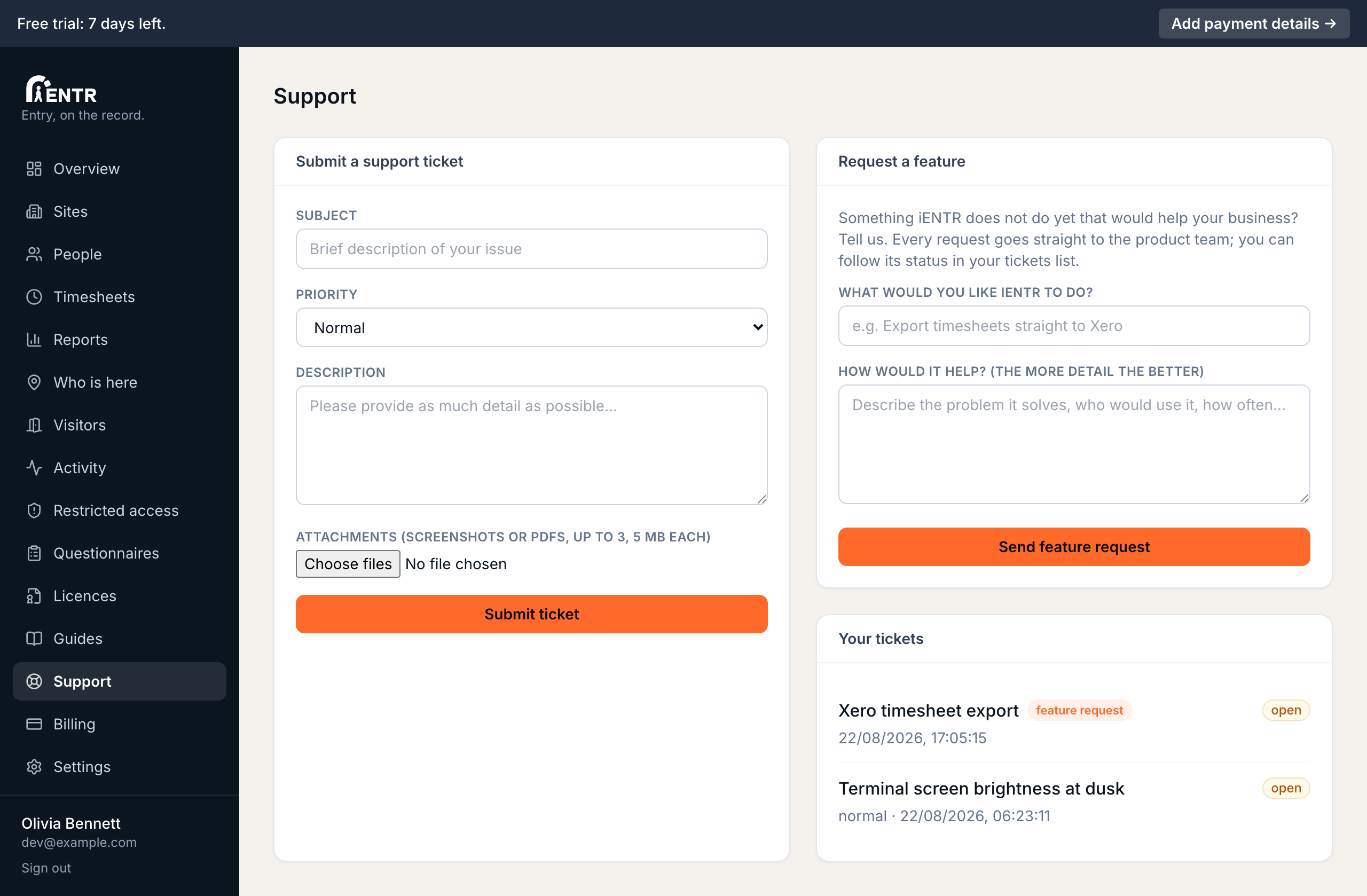
Support tickets are raised from the Support page with a priority and up to three attached screenshots or PDFs, then tracked in the same place with their status.
2 min read · 2 steps
- 1
Raise a ticket
Open Support, describe the issue, set a priority. Attach up to three screenshots or PDFs (5 MB each) so the support team sees exactly what you see. Your tickets list below with their status plus any attachments.
- 2
Request a feature
The same page has a Feature requests section. Describe what you wish iENTR did; requests reach the product team directly. Many recent features (zones, timed access, licence rules) started life as a customer request here.
Using iENTR at a workplace? See how the whole system fits your door.
iENTR for workplaces →Try it on one door.
Seven days free, cancel any time. Mount the iPad, pair it with one code and you are running inside half an hour.