
Advanced settings
Notifications & templates
iENTR's notification settings control which events email or text your admins, from visitor arrivals to restricted-access alerts, with the standard wording shown so you know exactly what customers receive before you customise it.
4 min read · 2 steps
- 1
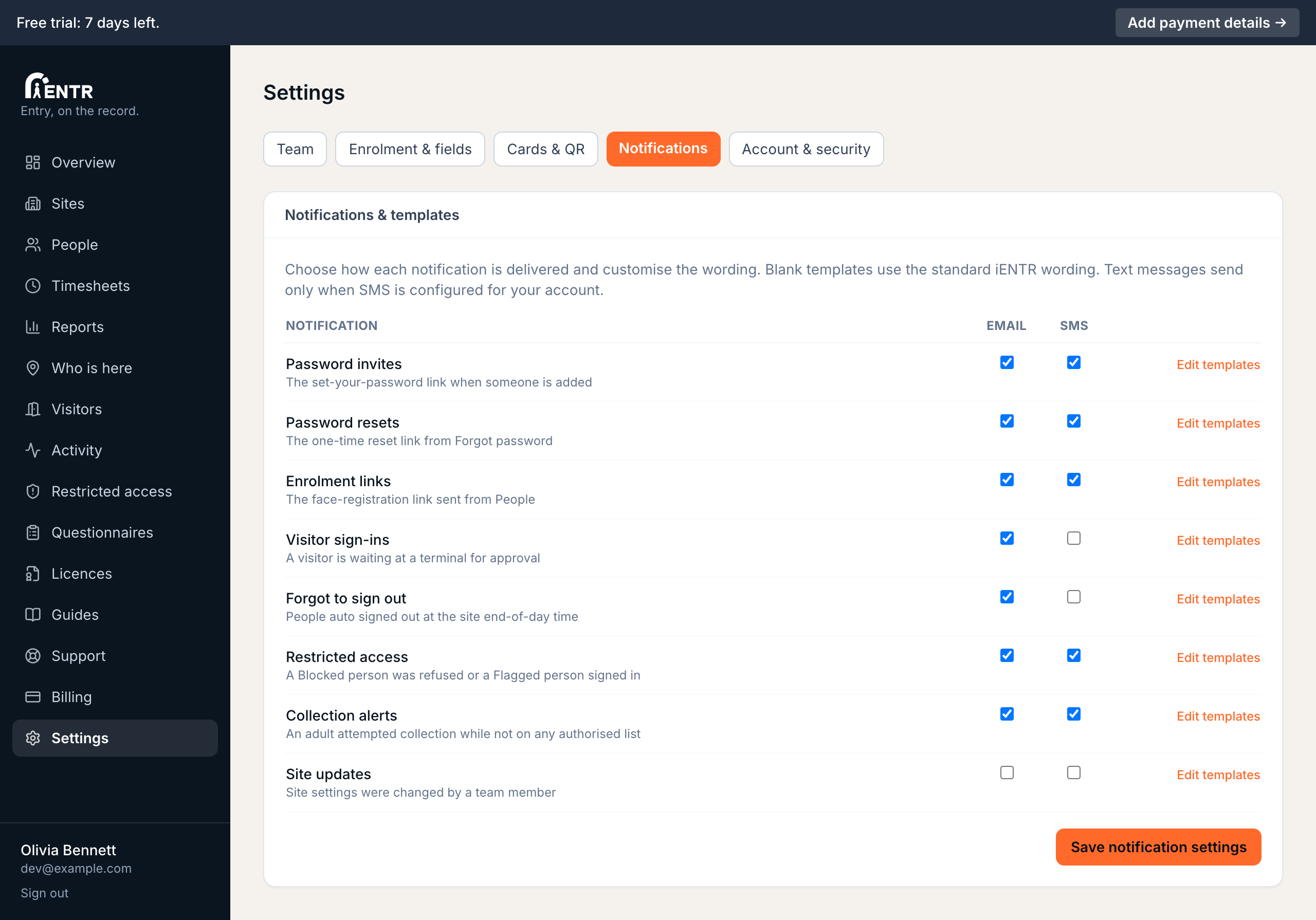
The notification matrix
Settings, then Notifications lists every notification iENTR sends: password invites, enrolment links, visitor arrivals, auto sign-outs, licence expiries, restricted-access alerts among others. Tick email or SMS per type. Text messages send only when SMS is configured for your account.
- 2
Defaults plus custom wording
Press Edit templates on any row to see the standard iENTR wording, shown so you know exactly what customers receive. Type your own subject or body to replace it; blank fields keep the default. Placeholders like the site name fill automatically.
Using iENTR at a centre or school? See how the whole system fits your door.
iENTR for early childhood and schools →Related guides
Try it on one door.
Seven days free, cancel any time. Mount the iPad, pair it with one code and you are running inside half an hour.