
ID cards & QR codes
Styling QR codes
QR codes printed by iENTR are styleable: code and background colours, quiet zone, rounded corners, a border and an optional centre logo, with error correction handled automatically so styled codes still scan.
3 min read · 2 steps
- 1
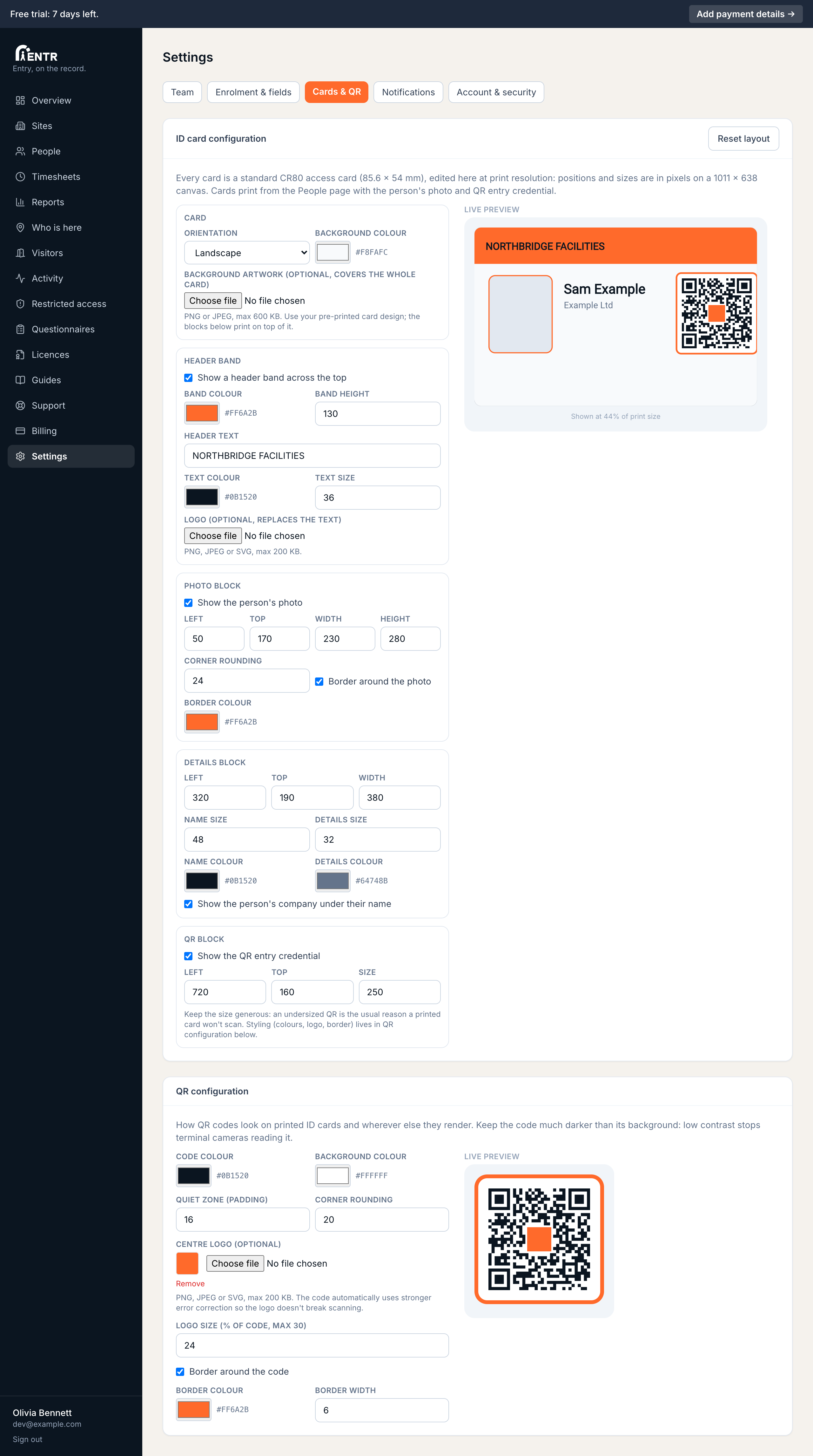
The QR configuration section
Below the card editor in Settings, Cards & QR. Set the code colour plus background, the quiet zone padding around the code, corner rounding, an optional border with its own colour plus width.
- 2
Add a centre logo
Upload a small logo to sit in the middle of the code, sized as a percentage of the code (up to 30%). The code automatically switches to stronger error correction so the logo never breaks scanning.
Keep strong contrast: a dark code on a light background. Low-contrast codes look stylish but terminal cameras stop reading them.
Using iENTR at a workplace? See how the whole system fits your door.
iENTR for workplaces →Related guides
Try it on one door.
Seven days free, cancel any time. Mount the iPad, pair it with one code and you are running inside half an hour.