
Reporting
Report templates
Report templates are one-press report setups: four standard ones ship with every account and you can save your own from any filter combination you use regularly.
3 min read · 2 steps
- 1
Standard templates
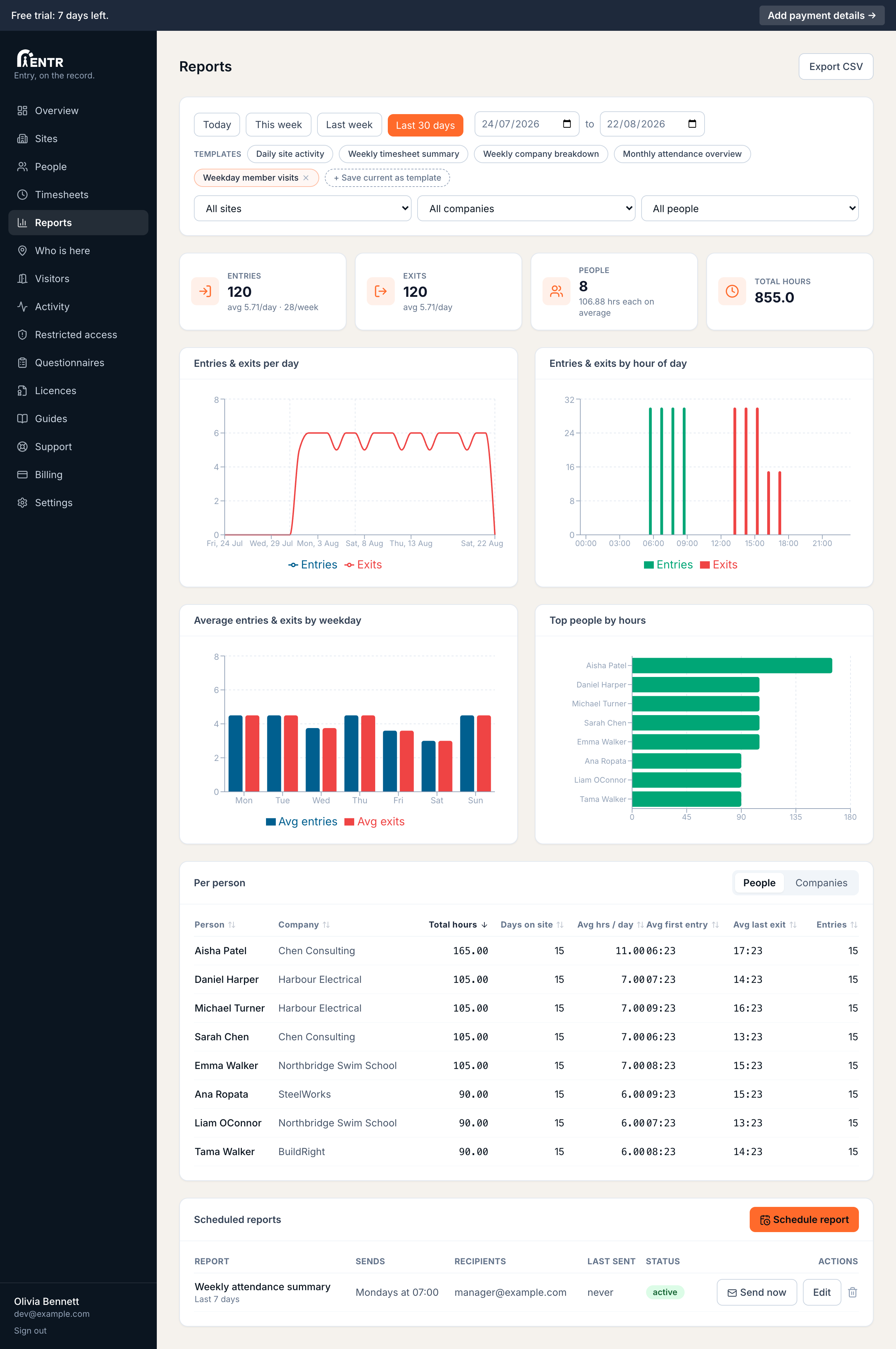
The Templates row on the Reports page carries four ready-made setups: Daily site activity, Weekly timesheet summary, Weekly company breakdown, Monthly attendance overview. Press one to apply its range instantly.
- 2
Save your own
Set up the exact view you use each week (range plus filters), then press Save current as template and name it. Your template joins the row for one-press reuse; the small x removes it.
Templates also feed schedules: a saved setup is the easiest starting point for a recurring emailed report.
Using iENTR at a construction site? See how the whole system fits your door.
iENTR for construction →Related guides
Try it on one door.
Seven days free, cancel any time. Mount the iPad, pair it with one code and you are running inside half an hour.