
Sites
Adding a site
A site in iENTR is a physical place people sign in to: a construction site, a centre, a gym or an office. You create one from the Sites page with a name plus an address, then everything else, from terminals to reports, hangs off it.
3 min read · 3 steps
- 1
Create the site
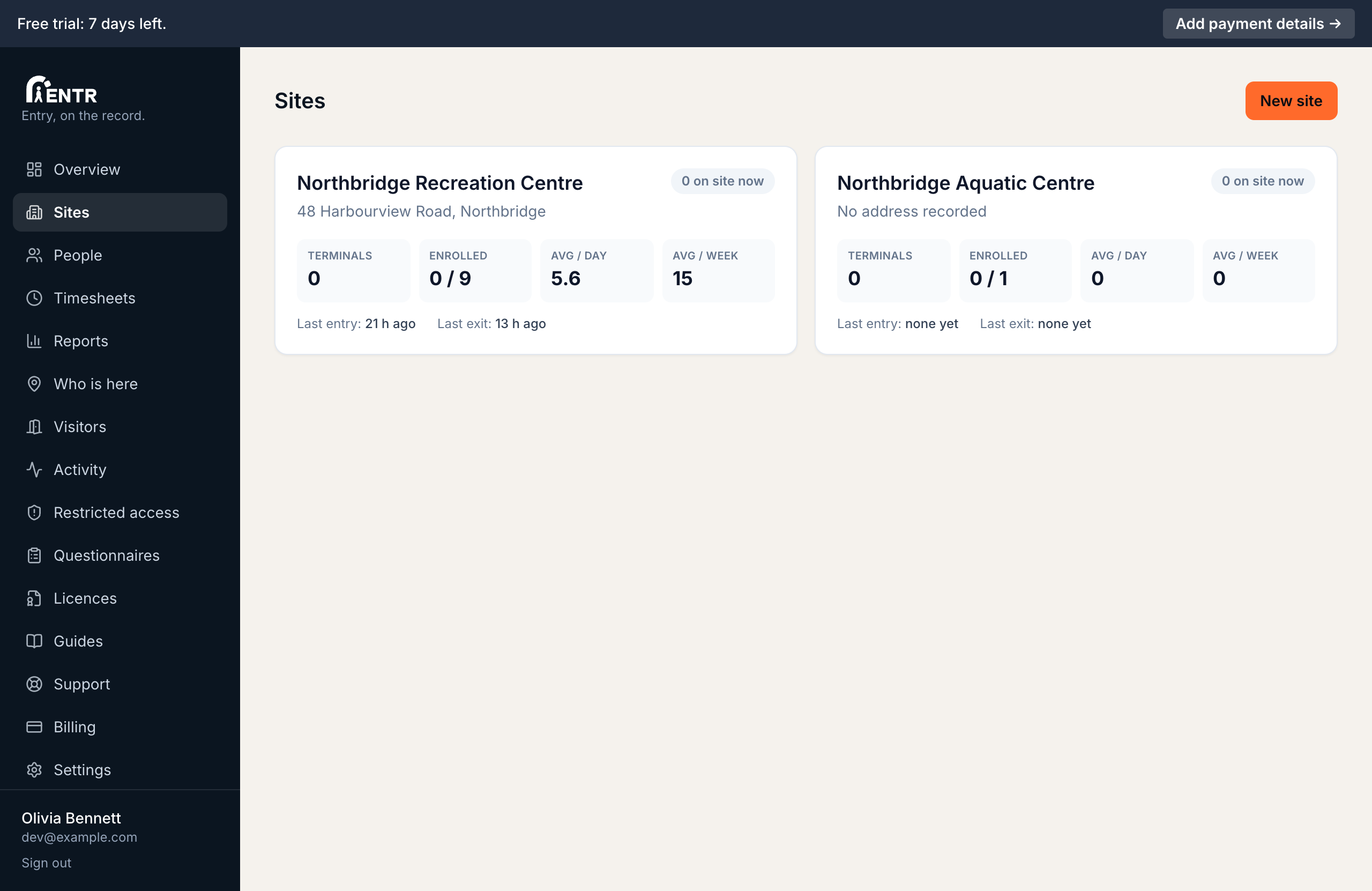
Open Sites in the menu, press Add site, enter a name people will recognise plus the street address. The name shows on terminal screens, in notifications, in reports.
- 2
Read the site tiles
Each tile on the Sites page shows live numbers for that site: how many people are on site right now, terminals paired, people enrolled, average entries per day plus per week, the most recent entry, the most recent exit.
- 3
Open the site detail page
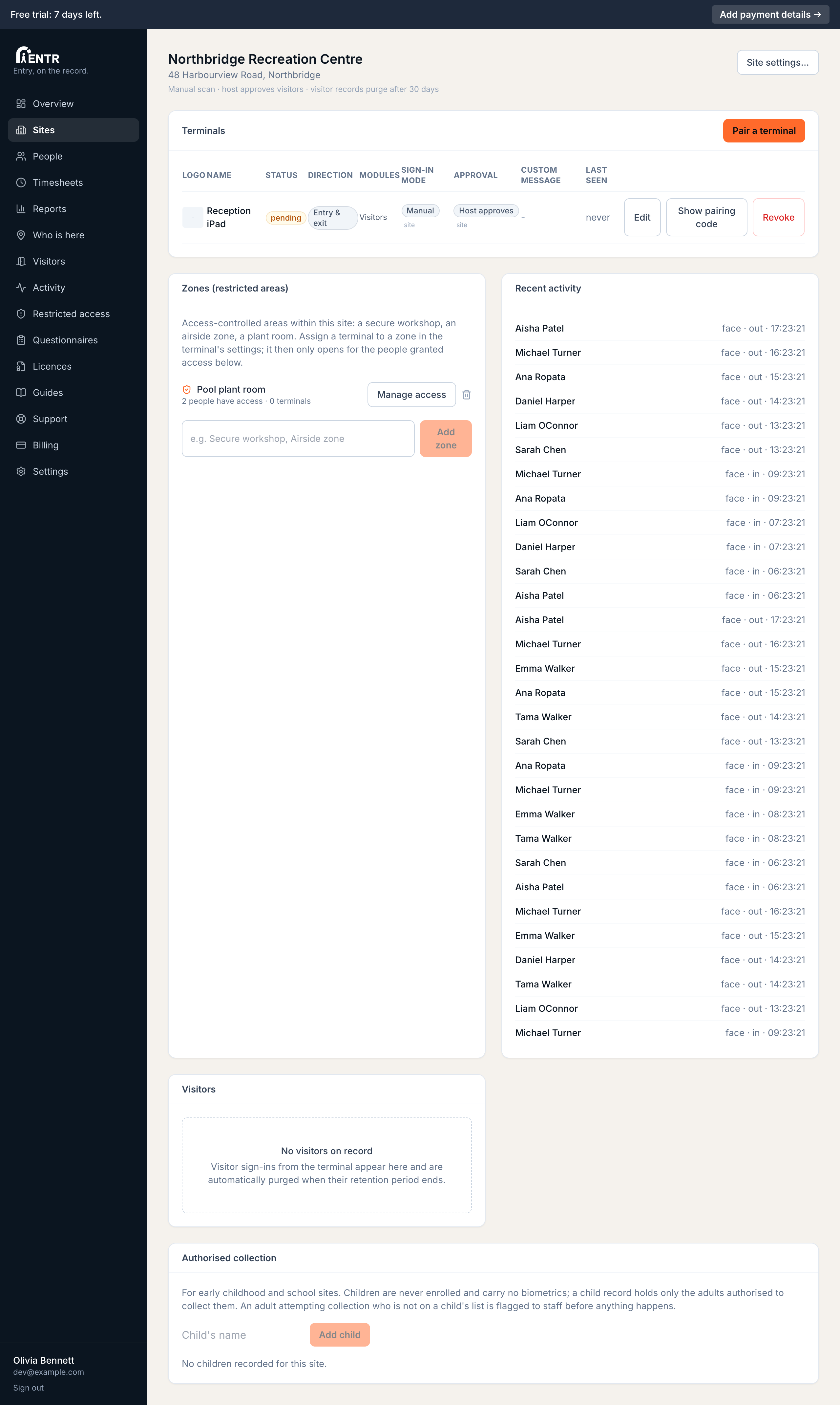
Press a tile to open the site. From here you pair terminals, watch recent activity, open Site settings. Every site has its own settings so a gym and an office can behave differently under one account.
Using iENTR at a construction site? See how the whole system fits your door.
iENTR for construction →Related guides
Try it on one door.
Seven days free, cancel any time. Mount the iPad, pair it with one code and you are running inside half an hour.