
User onboarding
Adding people
You add people to iENTR from the People page: one at a time with the Add person form, in bulk from a list, or by sharing an open enrolment link that lets a whole crew join a site themselves. Each person gets site assignments and an access duration.
4 min read · 5 steps
- 1
The People page
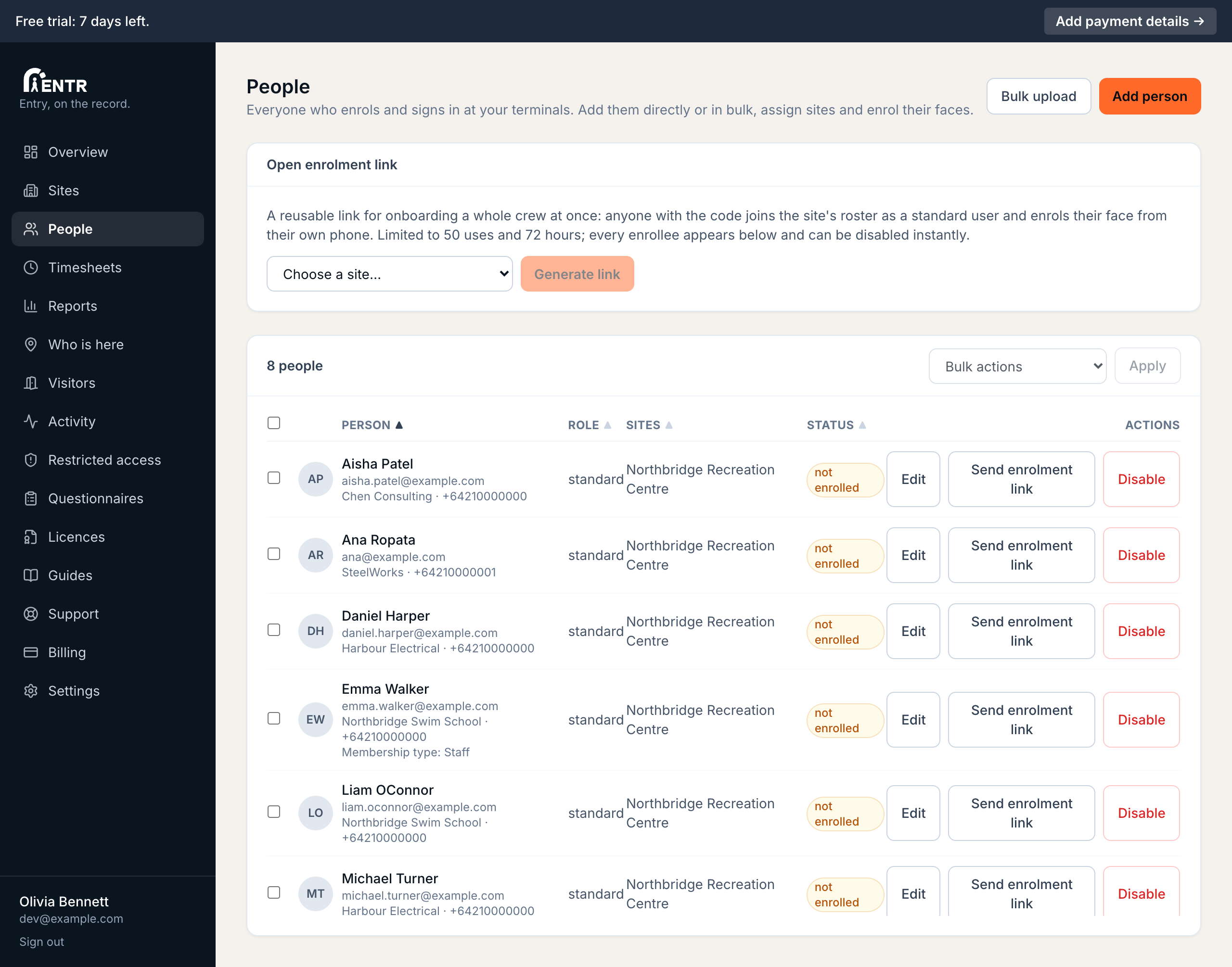
People lists everyone who signs in at your terminals. The table sorts by any column, scrolls for long rosters, supports tick-box selection with bulk actions (send enrolment links, enable, disable, delete).
- 2
Add one person
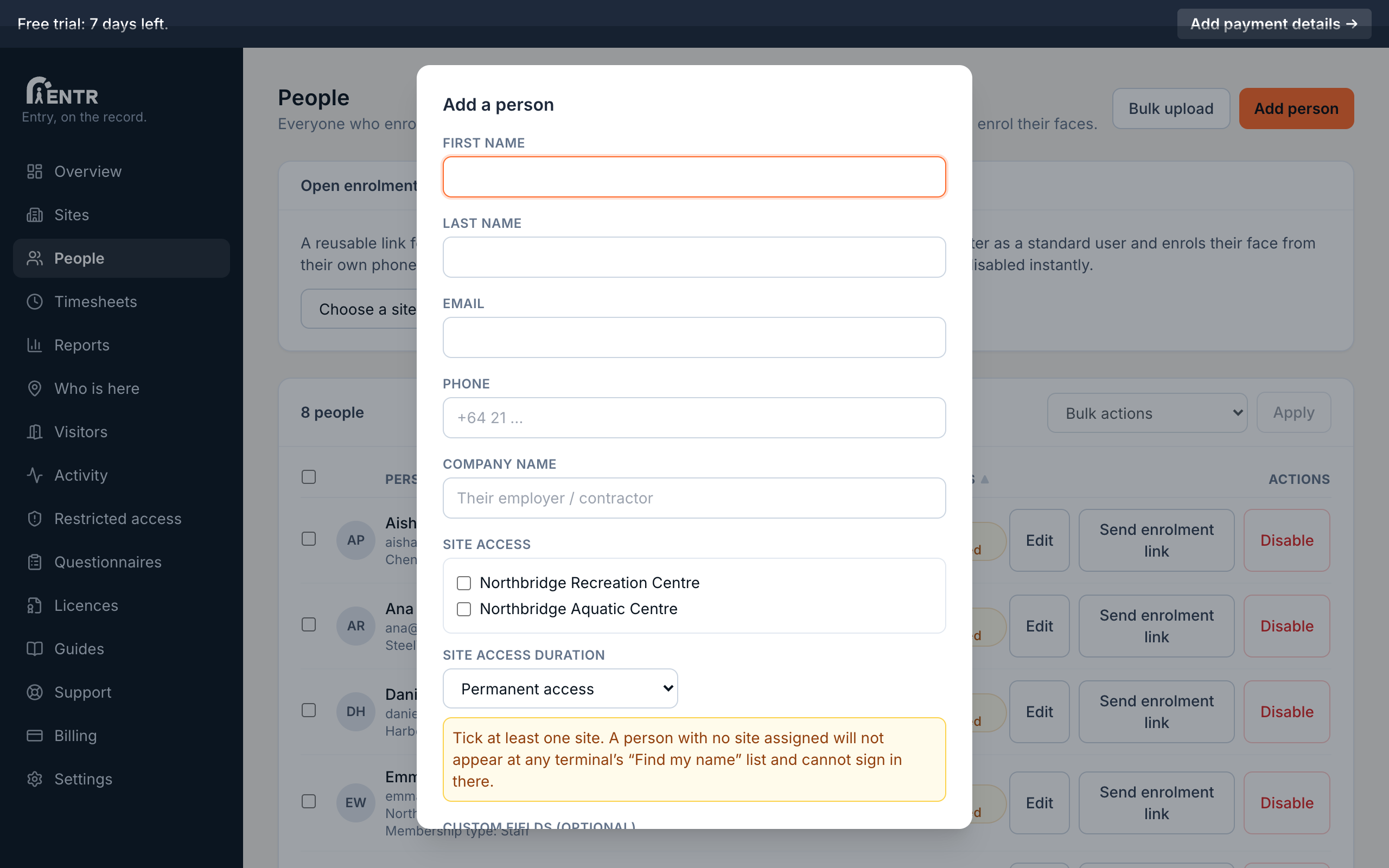
Press Add person. Enter their name, email, phone, company, any custom fields, then tick the sites they belong to. Standard users appear at terminals only; you can also create dashboard users here by choosing a different access level.
- 3
Bulk upload
Press Bulk upload to paste or import a whole list at once: useful for a new site with dozens of workers. Each row becomes a person you can then send enrolment links to in one bulk action.
- 4
Choose an access duration
Below the site tick-boxes, Site access duration decides how long the person keeps access: permanent, until a date and time you pick, or for a set number of hours or days from now. When the window ends they drop off terminal rosters and are refused at the door with a clear message.
An amber chip on their row shows when timed access ends; edit the person to extend or shorten it.
- 5
Open enrolment link
For onboarding a whole crew without typing anyone in: generate an open enrolment link for a site. Anyone with the link joins that site's roster themselves, then enrols their face from their own phone. The link allows 50 uses over 72 hours; every enrollee appears on the People page immediately.
Share open enrolment links carefully. Anyone holding the link can join the roster, though you can disable any person instantly.
Using iENTR at a construction site? See how the whole system fits your door.
iENTR for construction →Related guides
Try it on one door.
Seven days free, cancel any time. Mount the iPad, pair it with one code and you are running inside half an hour.