
Licences & certificates
Tracking licences and renewals
The Licences page tracks every qualification record against your people with colour-coded expiry status: green while valid, amber inside 30 days of expiry, red when expired, with certificates stored as files against each record.
4 min read · 4 steps
- 1
The Licences page
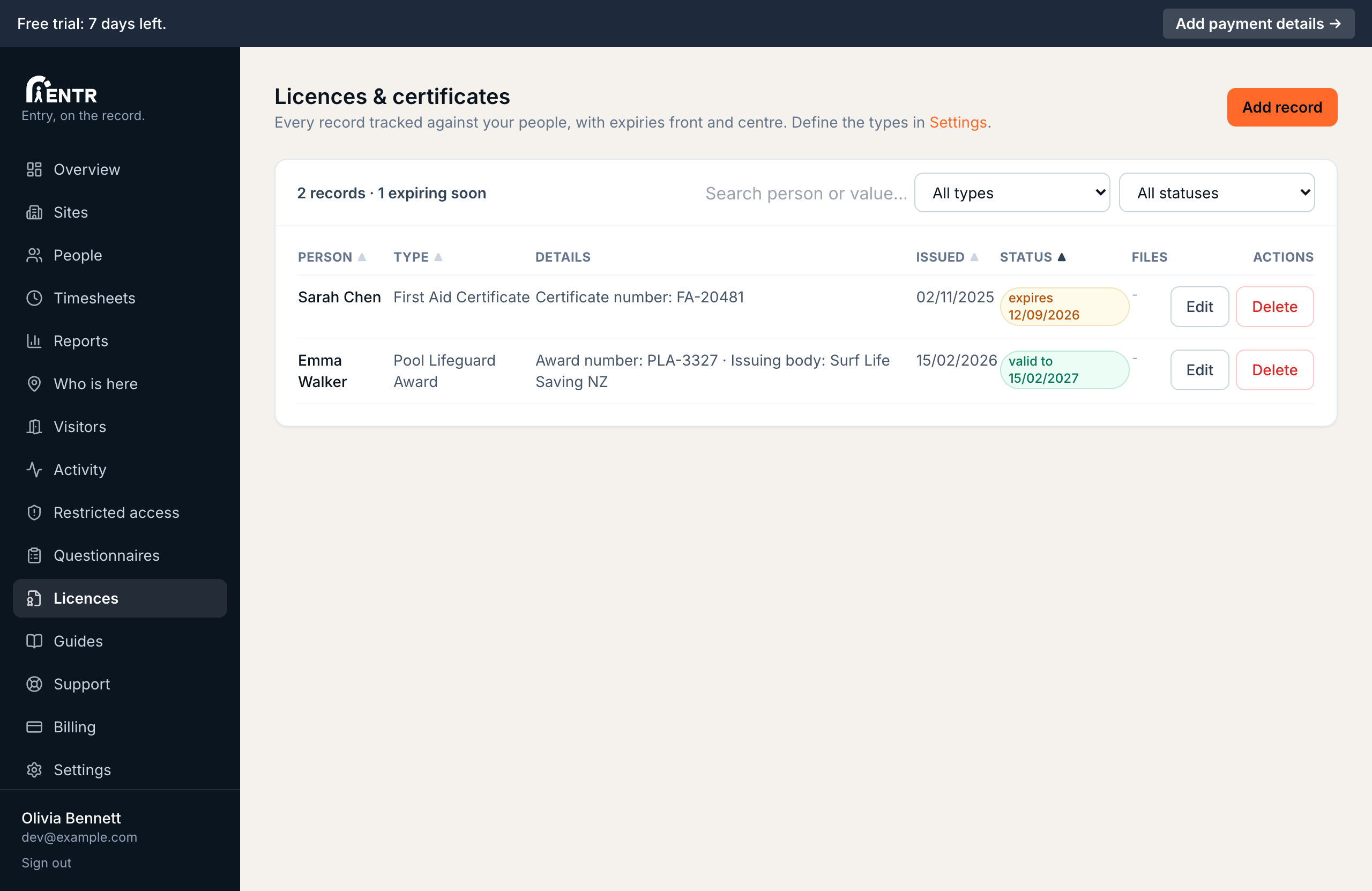
Licences lists every record across your people with colour-coded status: green while valid, amber inside 30 days of expiry, red when expired. Filter by type, status or a name search; sort by any column.
- 2
Add a record
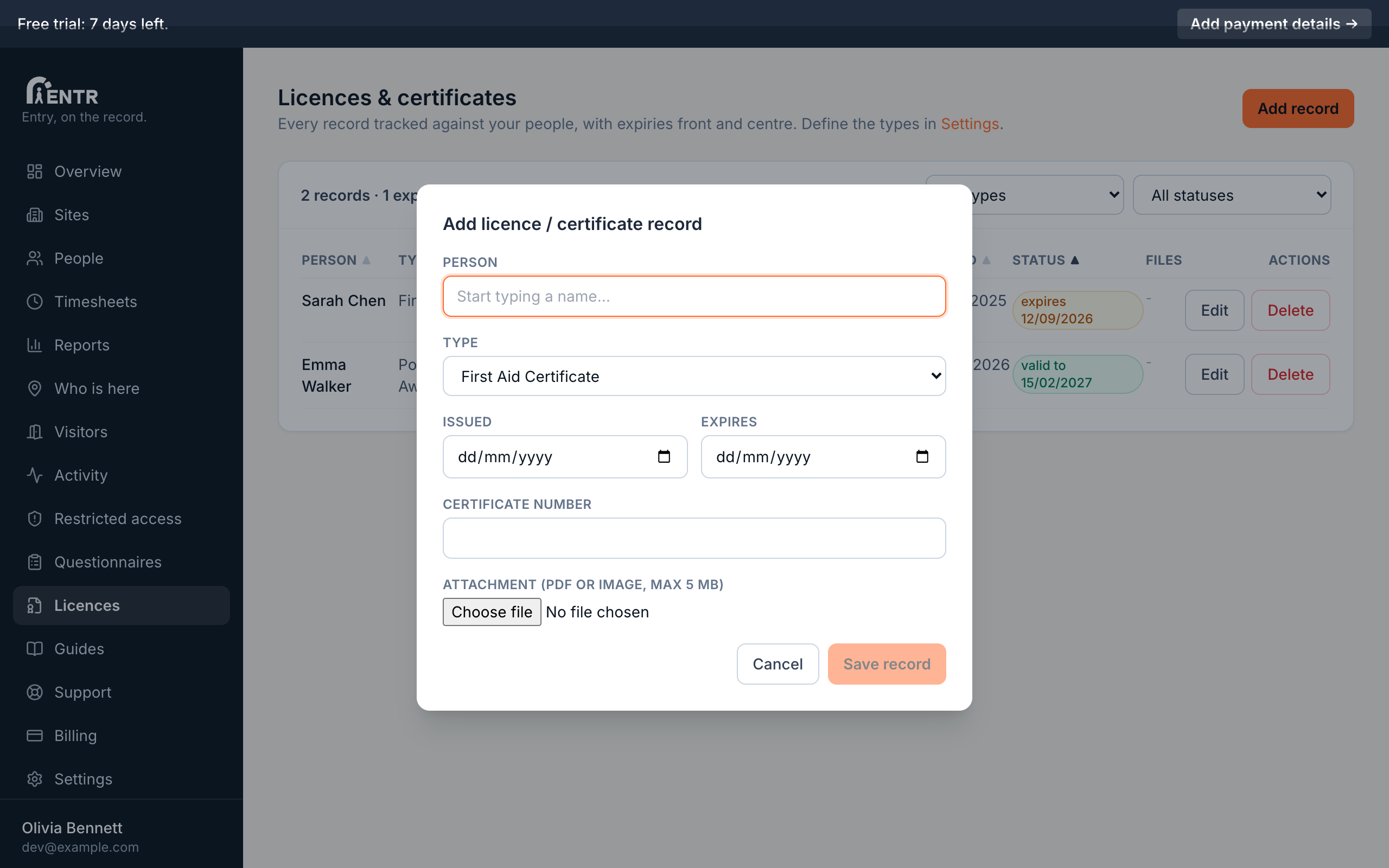
Press Add record. Search the person, pick the type, fill its fields, set issue plus expiry dates, then attach a photo or the certificate PDF when the type allows them.
- 3
Stay ahead of renewals
Sort by expiry to see what needs renewing next. The count of records expiring soon shows at the top of the table. Files download from the row any time an auditor asks.
- 4
The licence report
The Reports page has a Licences & certificates report: filter by type, status (valid, expiring, expired, missing) or a time window such as expiring within the next 6 weeks, per site or across the business, then export the list as CSV. It is the fastest answer to an auditor asking who needs renewing.
Using iENTR at a construction site? See how the whole system fits your door.
iENTR for construction →Related guides
Try it on one door.
Seven days free, cancel any time. Mount the iPad, pair it with one code and you are running inside half an hour.